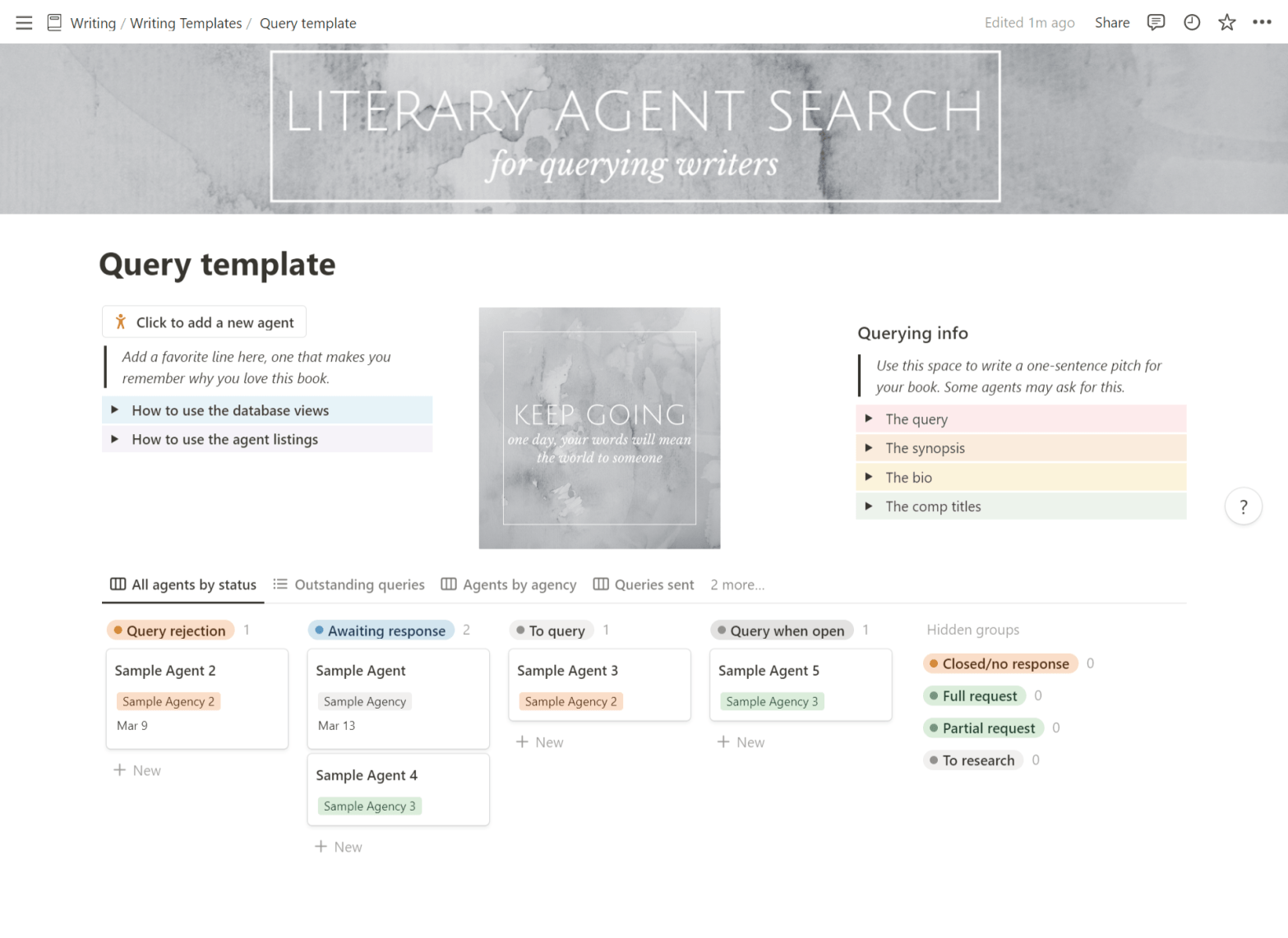
I live my entire life in Notion. And that includes querying literary agents—so now you, too, get to benefit from my brain’s intense organizational tendencies.
If you’ve never used Notion, think of this template like a spreadsheet, but more dynamic and visual. With this template, you can:
- Keep track of agents you’d like to research, agents you’d like to query, and agents you’ve queried
- Sort agents by agency, so you don’t accidentally double-query
- Track partial and full requests
- Keep all your querying materials (query, synopsis, pitch) in one place
- Collect personalization notes for each agent
- Stay inspired, hopefully
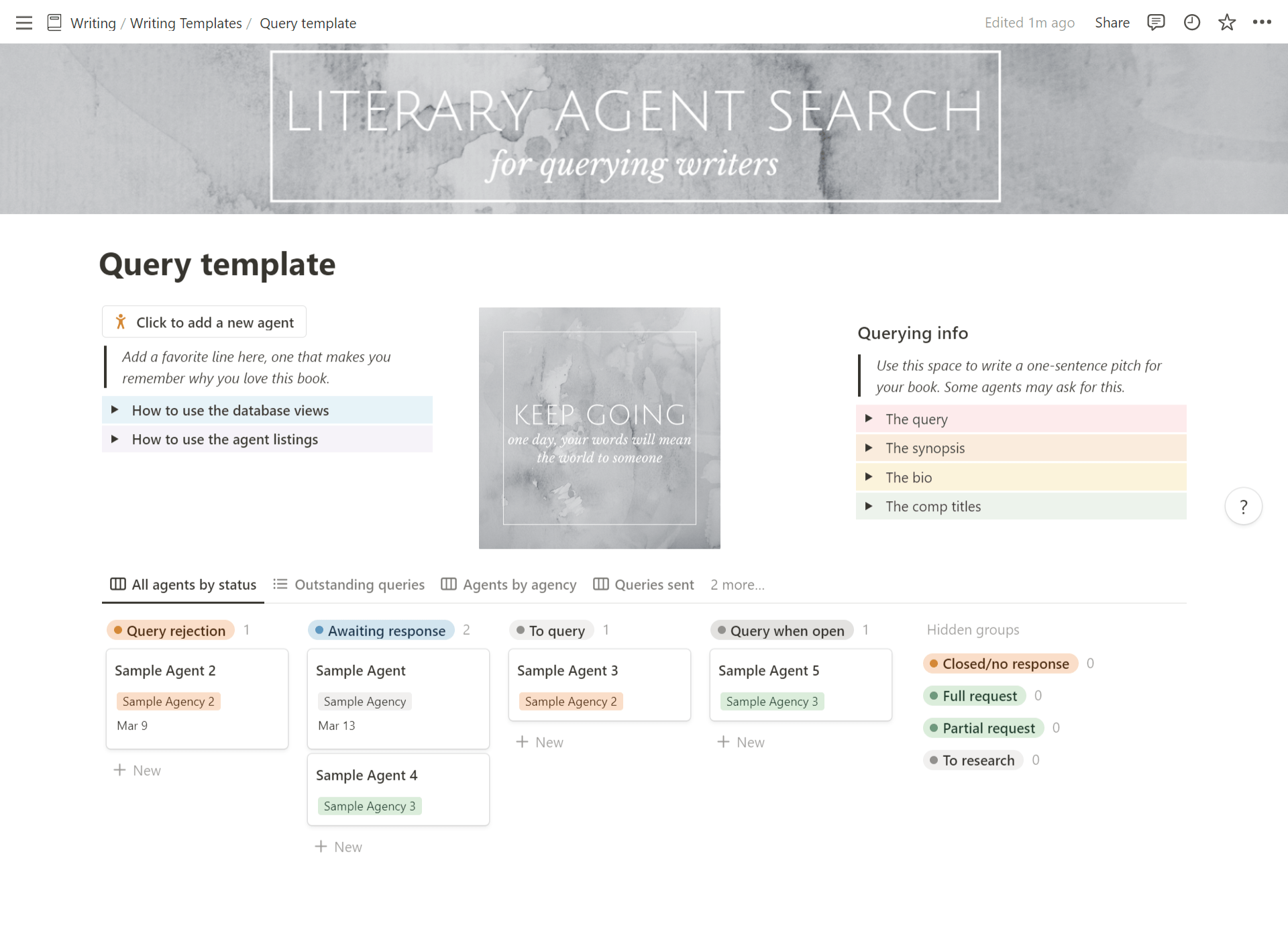
Click above to get the template, or visit my Notion page. You won’t be able to edit this page itself, but you can duplicate as a template to use and customize to your hearts’ desire.
To duplicate as a template to your own Notion, just click “Duplicate” in the upper right corner of the page. Note that this will take you to the login page, if you aren’t already logged in.

Make sure you check out the “How to use the database views” and “How to use the agent listings” toggles for more detailed instructions.
Because querying literary agents—and collecting all those rejections—is hard enough as is. You might as well stay organized about it.
Is there anything else you’d like to see in a querying template? Let me know in the comments!
 Anne Kopas